Monday, December 3, 2012
Socrative
Last week I introduced my class to Socrative. It is a website that you use as an interactive platform for your class. You will find it at www.socrative.com. One of my reading groups used it first to take a short quiz over a book we had just finished reading. It was a great way for me to assess student understanding, at the same time that we wrapped up discussion of the book.
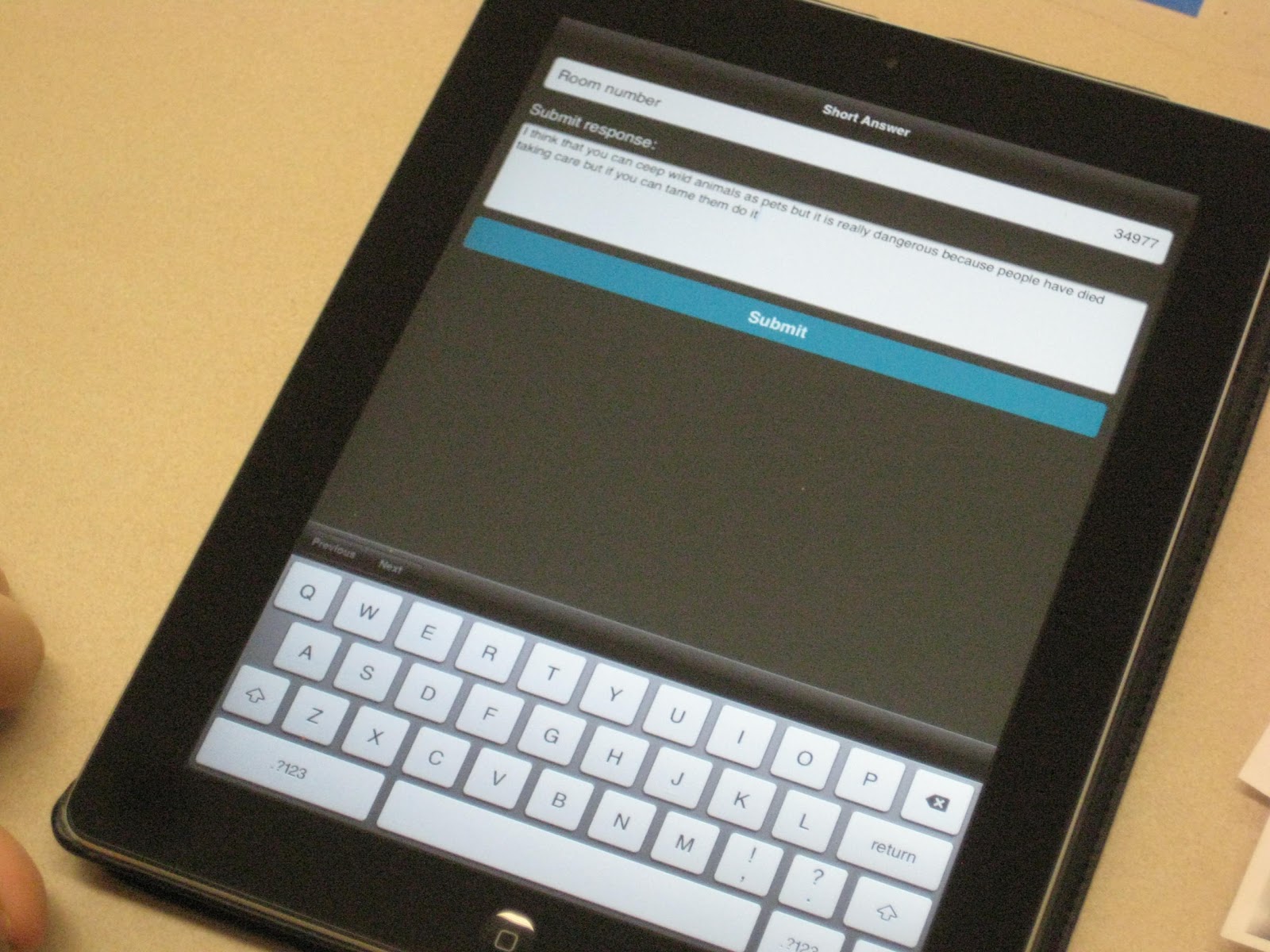
I first learned about Socrative last March at Edcamp Omaha. The teacher sets up a virtual classroom. Students enter the classroom by typing in the room number. You can either have a single question activity or you can set up a quiz.
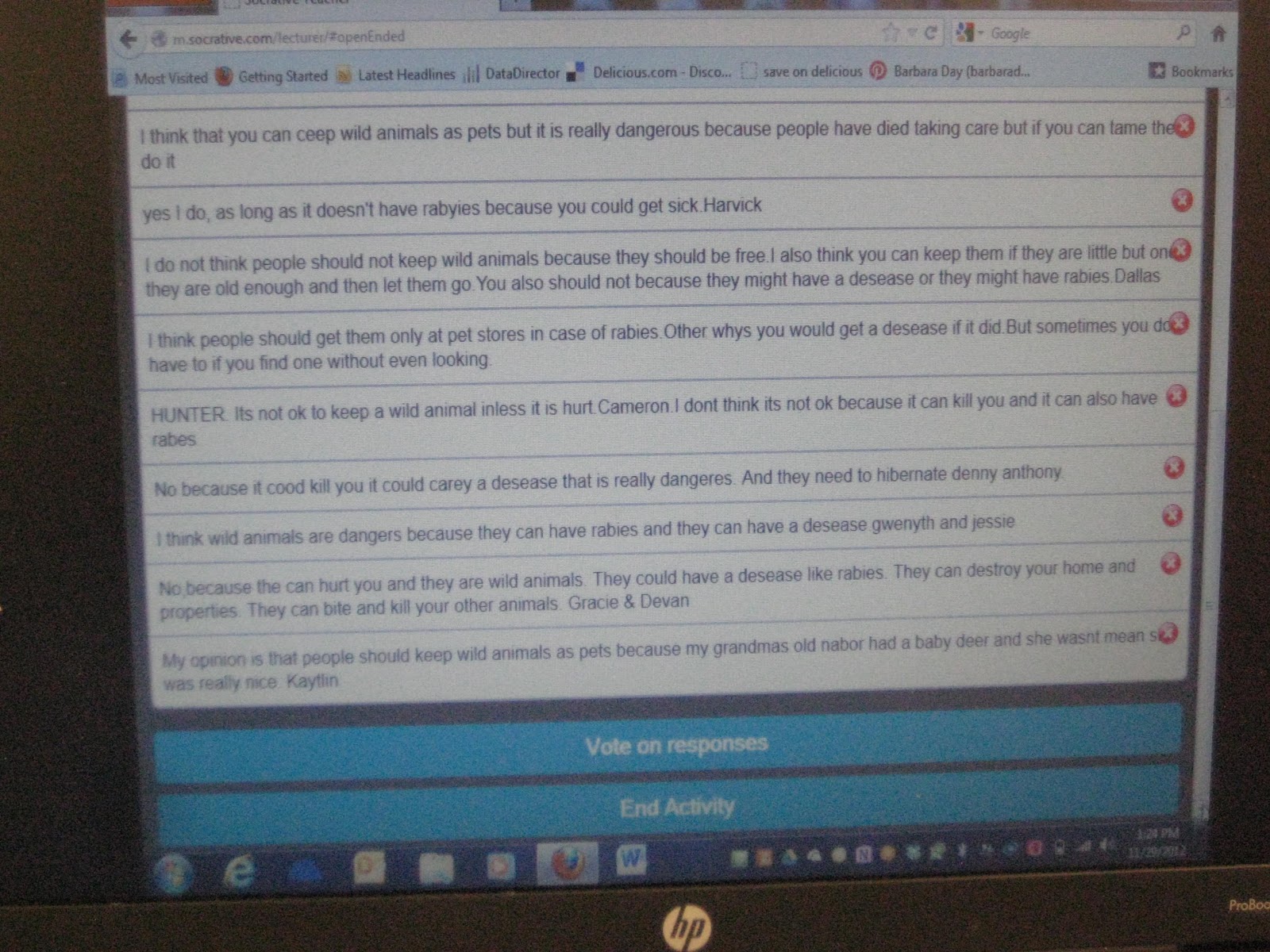
When you conduct a single question activity, the teacher asks the class a question verbally, and students respond in writing. This is a great way to use an interactive whiteboard. I don't have one, but by setting up my computer with my digital presenter, the whole class can see student answers. It is a great way to keep students interested and engaged. My students were eager to write and share their answers. I narrate the answers as students submit their thoughts, which gives us the opportunity for additional discussion.
Here is an excellent tutorial by James Kapptie, which explains Socrative much better than I have.
I have got to try Space Race with my class. They are going to love it!
If you have not already tried Socrative, I encourage you to give it a try. If you have used it, I am eager to hear some of the ways you have utilized it. Please share your ideas.
Saturday, November 10, 2012
Roll a Monster
We've done a lot of testing this year. A few weeks ago the kids were test weary and so was I, so I tried this activity that I found on Pinterest. It originated from a website called Expressive Monkey. Students roll dice to decide which body shape, eyes, mouth, etc. to draw to make their monster. We played with it for a while. Then they chose one to draw for their book cover. Next they wrote a story about their monster. I had the happiest writers in town!
I posted the finished books on our Tiger Pride board.
Saturday, October 20, 2012
Kidblog Changes
All of my students have their own blogs on Kidblog.org. After writing and commenting on our paper blogs, we are now working on writing our very first on-line posts. There have been some big changes to Kidblog this year! Depending on the settings the teacher chooses, kids can now select an Avatar to display with their comments and in the directory. They can also choose a background for their blog.
This makes Kidblog much more visually pleasing, and gives the kids an opportunity to have their blog be more individual. We are going to give this a try. I think it will make the whole blogging experience much more appealing.
Once we have made these blog design choices, I want my kids to leave them alone and focus on the writing. Does anyone out there have experience with these new features? Can you turn off the choices once they have set their avatar and design?
Sunday, October 14, 2012
Paper Blogs
We have been working on personal narratives using our Being a Writer curriculum, so that was a great place to start with blogging. After my students wrote their personal narrative, they mounted it on card stock. We talked about how blogs use design to add interest and information to their writing, and to make people want to come back to their blog.
After we have our first blog post ready, I hang them around the perimeter of our classroom. Armed with sticky notes, students walk our gallery of blog posts, reading and commenting. Before we get started, however, we learn how to write good comments. To do that, I share a blog post and video made by Mrs. Yollis and her students in California. Here is a link to that post.
Students read blog posts, and leave their sticky note comments along the edges. After about 30 minutes, we took a break and let students go back to their own blogs to read the comments. Some wrote responses to the comments, before we moved back to reading and commenting on other blogs.
This is a really fun activity that clearly illustrates the interactive conversation that a good blog post can generate. Let's face it, every writer wants someone to read and respond to their work. I always learn more about the kids with this activity, and I love watching the excitement grow as they receive comments and feedback from the rest of the class.
The original idea for Paper Blogging comes from middle school teacher, Karen McMillan. You can read more about it on her blog, Notes from McTeach.
We have Parent/Teacher Conferences coming up. I plan to hang our paper blogs in the hall, so parents can read and comment on our posts. By that time we should have our first real blog posts published on-line. I hope we can get more parents commenting on our Kidblogs this year.
Sunday, September 16, 2012
Heart Maps
Our class is working on writing personal narratives. We are using the program, Being a Writer, but on Thursday we took a break from that to create Heart Maps. One of my colleagues made them with her students last year. A Heart Map is used to inspire you as you are choosing a topic to write about. I also saw the idea on Pinterest. You can see that link here.
To make our Heart Maps, I gave each student a paper with the black outline of the heart already on it. Then I modeled the activity as we added words and drawings for;
- 3 important people
- 3 hobbies
- 3 important places
- 3 memories
- 3 important things
We made them colorful and interesting. Then we cut them out and glued them into our Writer's Notebooks. We are referring to them when we need an idea to write about. I like the way they turned out, and it's a great hands on tool for brainstorming writing ideas.
Saturday, September 8, 2012
Class Dojo
Our school does PBIS, Positive Behavior Interventions and Supports. We have done this for a number of years now. You can read more about PBIS on the Iowa Department of Education Website if you are interested. As one of our positive reinforcements we give out Tiger Paws for good behavior. We are the Tigers, thus Tiger Paws. When students have 20 they turn them into the office. Their name is announced for their good work, and they are entered into a lottery for a special breakfast that is served in the conference room each Friday. Most kids are enthused about them, even though we have done this for several years. The problem is, I forget to give them out, especially when things are going well.
This week I began experimenting with a website called Class Dojo. You can find it at www.classdojo.com. Class Dojo is a tool for behavior management. I learned about it from other educators on Plurk. It is a quick way to recognize good behavior choices in the classroom, and provides a non-intrusive way to correct negative behaviors. I saw a marked improvement in classroom behavior just in the four days I have used it. It's easy to use and it's free.
The first thing I did was create a class list. The website then assigns an avatar to each child. I used a laptop and my digital presenter to project the screen onto my whiteboard.
Next I loaded the positive behaviors I want to see, and the negatives behaviors I sometimes see. I am continuing to edit this each day as I see what works and what doesn't.
From there it's easy. As I am teaching, whether it is whole group or small group, I click on a student's avatar as I see either positive or negative behaviors. A box will pop up where I can click on the specific behavior. Immediately afterwards a sign pops up recognizing the good behavior or reminding the student about the behavior that needs to change. You can decide if you want a sound to go with this.
At the end of the day I give out Tiger Paws based on the positive points.
One of the things I like best is the data that is recorded on the website. I like the way the website collects the data into circle graphs. At the end of the day, I can let the class know how many positive points we earned that day. These same graphs are available for each child, and show not only what percentage of their points were positive and negative, but also what behaviors they are using during the day.
It's a great way to share information with the student, parents, or other staff members. You even have the capability to e-mail reports to parents.
I liked the fact that I was able to use an iPad as a remote, so I could work with a group at my reading table, and as I observed behaviors, give points. Students saw the reinforcement on the whiteboard. You can also use a smart phone as a remote.
I don't know if I will use this for the entire year, but I'm definitely going to use it during this first term. It will be great data to share with parents at conferences. It was also an eye opener for me as to where my problem areas were in the classroom. It was a great tool that reminds me to give lots of positive reinforcement, and it was fun for both me and the class. If not for my PLN and social networking, I never would have heard of it. Thanks Plurk buddies!
Monday, September 3, 2012
Creating Our Social Contract and Circle Poster
I really like the way our Circle Poster project came out. We did this the first day of school, and it was one of the projects included in my post, A Dozen Ideas for the Classroom and I Found Them All On Pinterest. Each person in the class including teachers decorated 1/4 of a circle with their name and a design. Then we put them together. It was an opportunity to talk about how we are each unique but we are each important to make up our whole class.
I combined this project with creating our Social Contract. All the classes in our building create a Social Contract, as does the staff. This is from our Capturing Kids Hearts training. I asked the class "How do you want to be treated by others?" "How do you think teachers want to be treated?" "How do you want to be treated by teachers?" and "How will you treat people?" They created lists of words to respond to each of the questions.
I had students work independently and then in small groups, to brainstorm the lists of words. I like to type their lists of words into Wordle or Tagxedo. The more times a word is entered, the larger it becomes. The most listed words like respectful, responsible, friendly immediately pop out. This year I used Tagxedo, which has more shape options. This will now hang on our classroom door all year.
I like having a Social Contract. It gives us a consistent set of expectations and consistent language, for the behavior in our classroom and school. From time to time we review the qualities we expect and that we are working toward.
Subscribe to:
Posts (Atom)


.jpg)